Affiliate program
This guide will help you register, join the AOV.ai Free Gift affiliate campaign, and start sharing your affiliate link to earn commissions.
Step 1: Register an affiliate account
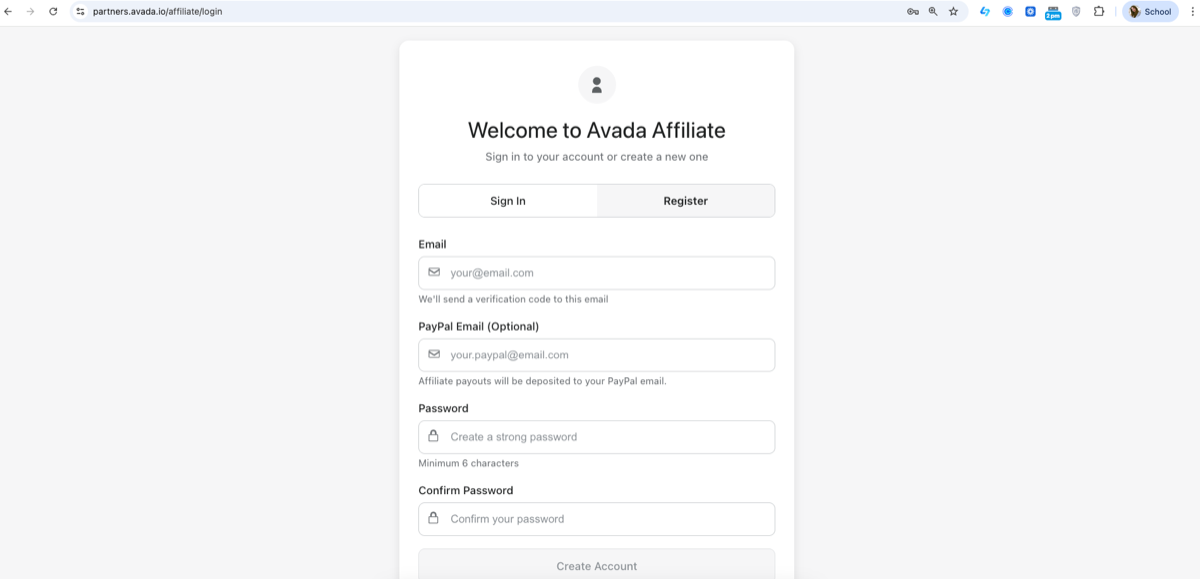
- Go to the Avada Affiliate Portal:
https://partners.avada.io/affiliate/login (opens in a new tab) - Click Register.
- Fill in the required information:
- Email (used for login & verification)
- PayPal Email (optional, for receiving payouts)
- Password & Confirm Password
- Click Create Account and verify your email.
Once completed, you’ll be logged into the affiliate dashboard.
Step 2: Join the AOV.ai Free Gift Affiliate Campaign
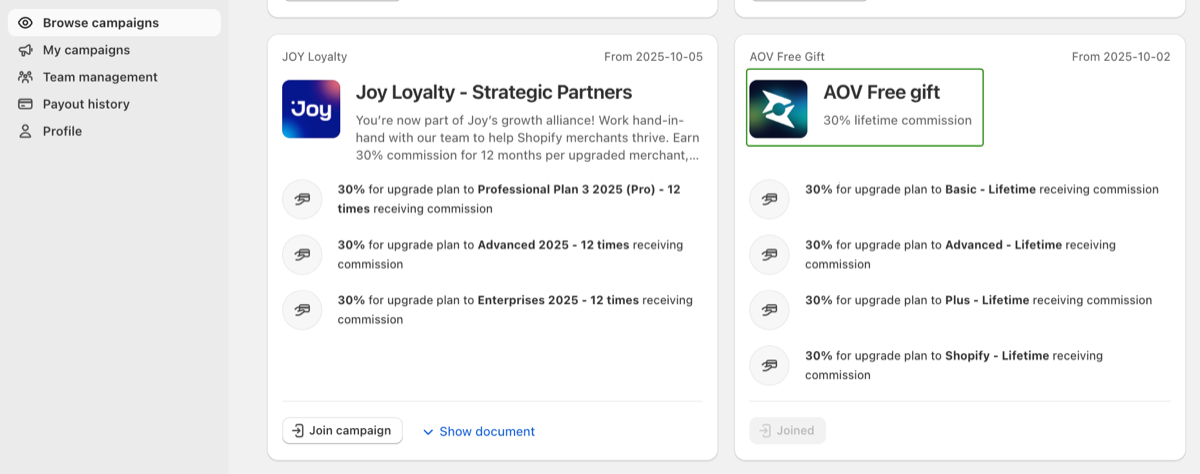
- From the dashboard, click Browse New Campaigns.
- Find AOV.ai Free Gift in the campaign list.
- Click Join campaign.
🎉 After joining, the campaign status will change to Joined.
Commission details (example):
- 30% lifetime commission
- Applies to plan upgrades (Basic, Advanced, Plus, Shopify plans)
Step 3: Copy your affiliate link
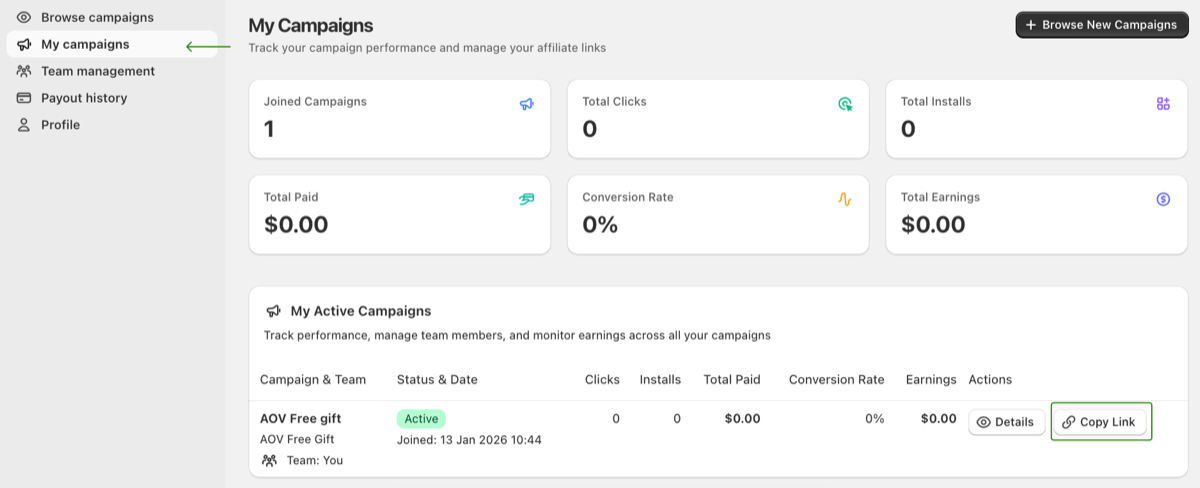
- Go to My Campaigns.
- Find AOV.ai Free Gift under My Active Campaigns.
- Click Copy Link.
🔗 This is your unique affiliate link.
Step 4: Start referring merchants
You can now share your affiliate link via:
- Blog posts
- YouTube videos
- TikTok / Facebook / X
- Shopify community, Discord, Slack
- Direct referrals to merchants
You can track:
- Clicks
- Installs
- Conversion rate
- Earnings directly in the My Campaigns dashboard.
You’re All Set 🚀
That’s it!
You’ve successfully joined the AOV.ai Free Gift Affiliate Program and can start earning commissions by referring Shopify merchants.