Order Goal
Learn how to boost your Shopify store's revenue with the Order Goal feature in the AOV.ai Free Gift app.
What is Order Goal?
Order Goal is a powerful feature in AOV.ai Free Gift app that enables you to incentivize larger purchases by offering tiered discounts based on the customer's total order value.
Why use Order Goal?
Increase Average Order Value (AOV)
This feature encourages customers to spend more to receive attractive discounts, thus increasing the AOV.
Delight Customers
Order Goal provides customers with a rewarding shopping experience by clearly showing them their savings or next rewards, making the purchases more engaging.
Boost Sales Conversion
Discounts tied to specific cart values can reduce cart abandonment and increase conversion rates.
How to Set up Order Goal
Step 1: Choose Order Goal campaign
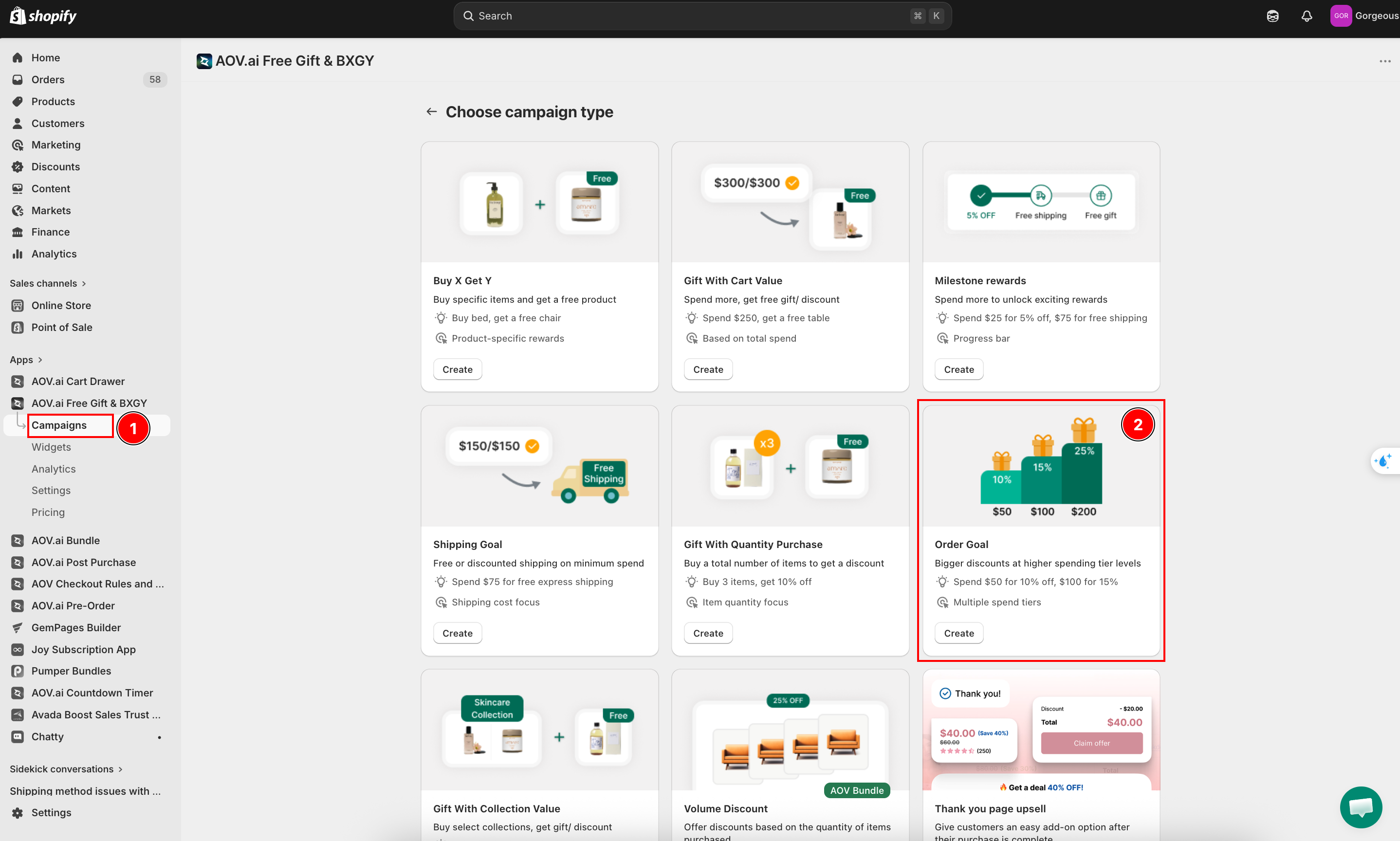
Navigate to the Campaigns section in the menu, then click Create campaign in the top right corner. Choose Order Goal and click Create to begin setup.
Step 2: Campaign setting
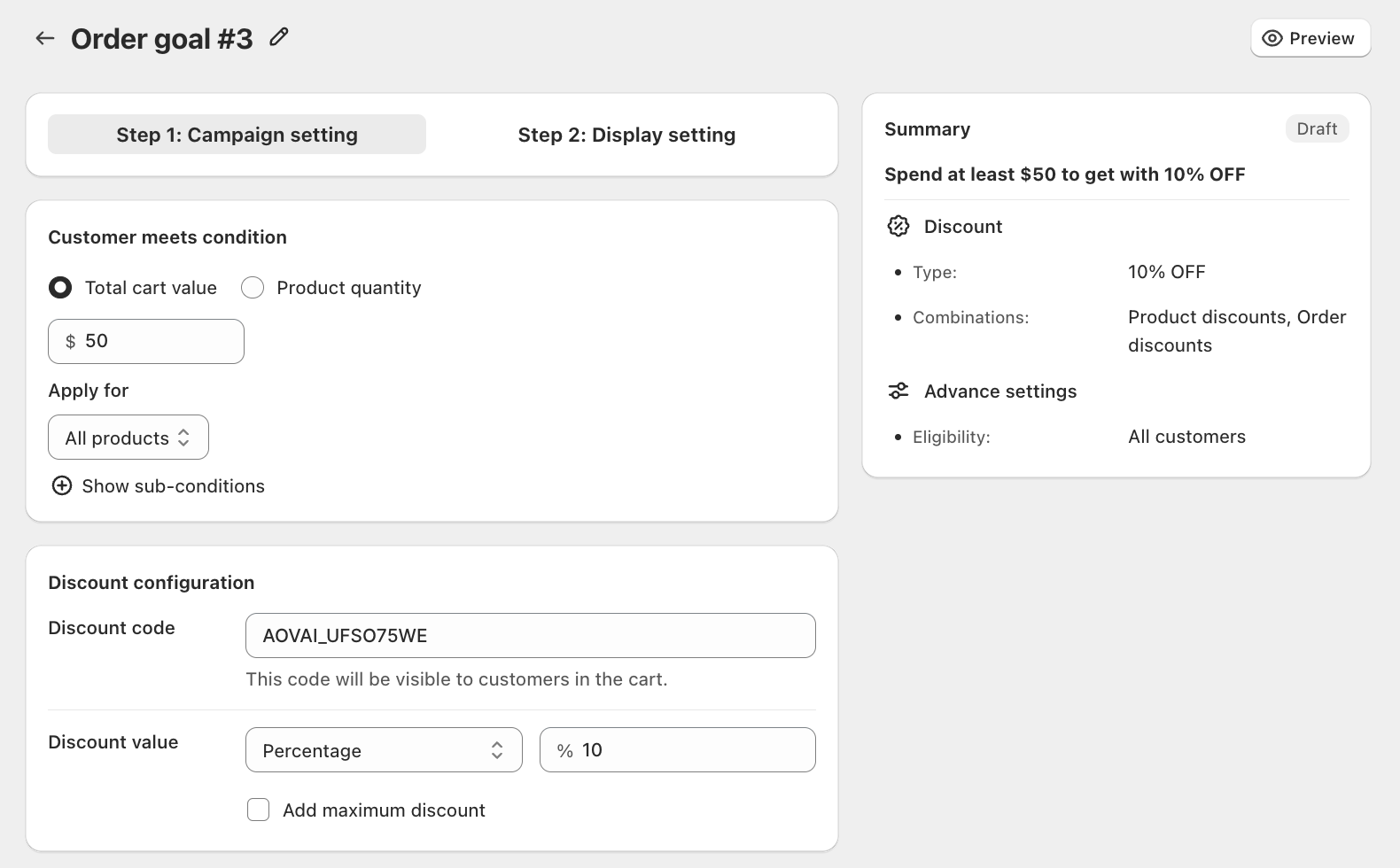
2.1 Customer meets condition
Choose the trigger type for your campaign:
- Total cart value: The campaign activates when a customer's total cart spend reaches the threshold you set.
- Product quantity: The campaign activates based on the number of items in the cart.
Set the minimum value (e.g., $50) that customers must reach to qualify.
Apply for: Choose which products count toward the threshold:
- All products: The campaign applies to any product in the store.
- Specific collections: Only products from selected collections count.
Click Show sub-conditions to further refine when the campaign applies, such as excluding specific products or collections from the threshold calculation.
2.2 Discount configuration
The system auto-generates a discount code for your campaign. You can edit the code as you like. This code will be visible to customers in their cart.
Discount value: Choose the discount type:
- Percentage: Apply a percentage off the order (e.g., 10% OFF).
- Fixed amount: Reduce the order total by a fixed dollar amount.
Enable Add maximum discount to cap the total discount amount if needed.
2.3 Advanced settings
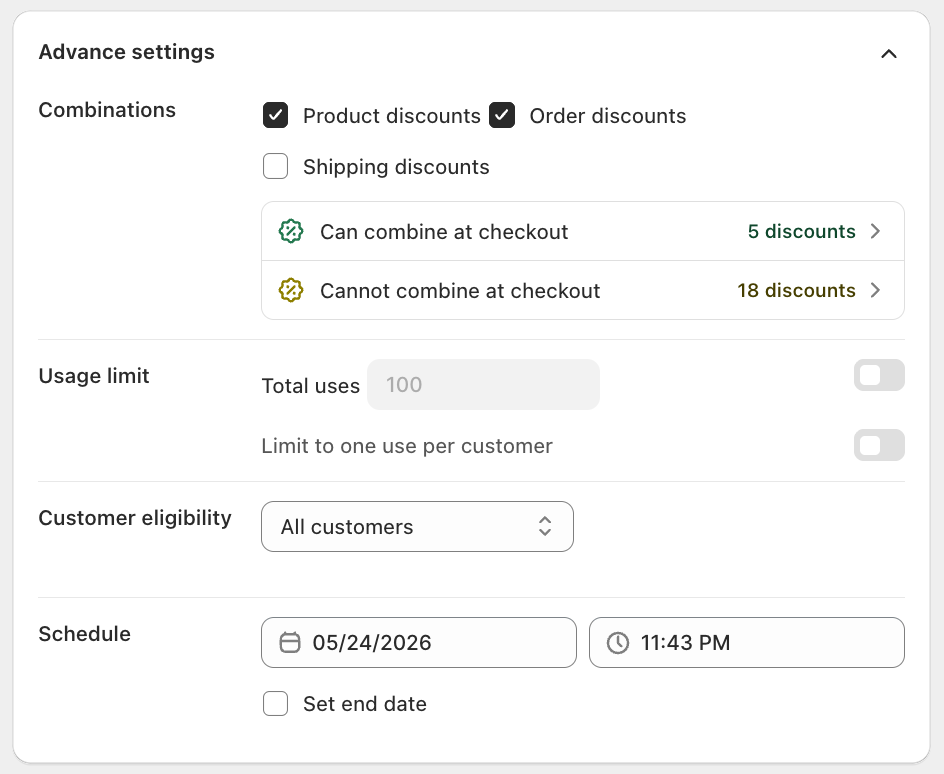
Combinations
Choose which other discount types customers can combine with this campaign at checkout:
- Product discounts
- Order discounts
- Shipping discounts
Usage limit (optional)
- Total uses: Limit how many times the discount can be redeemed overall.
- Limit to one use per customer: Restrict each customer to one redemption.
Customer eligibility
Control who can see and redeem this campaign:
- All customers: Anyone who meets the conditions can access the promotion.
- Specific link: Only customers who click a unique campaign link can access it.
- Customer location: Limit to customers from specific countries or regions.
- Specific customer segment: Target specific customer segments from your Shopify admin.
Schedule
Set when your campaign is active:
- Start date: Select the date and time when the campaign begins.
- Set end date (optional): Enable and pick a date and time to automatically stop the campaign.
Step 3: Display setting
After completing the Campaign setting, click Next: Display setting to configure how the campaign appears to customers.
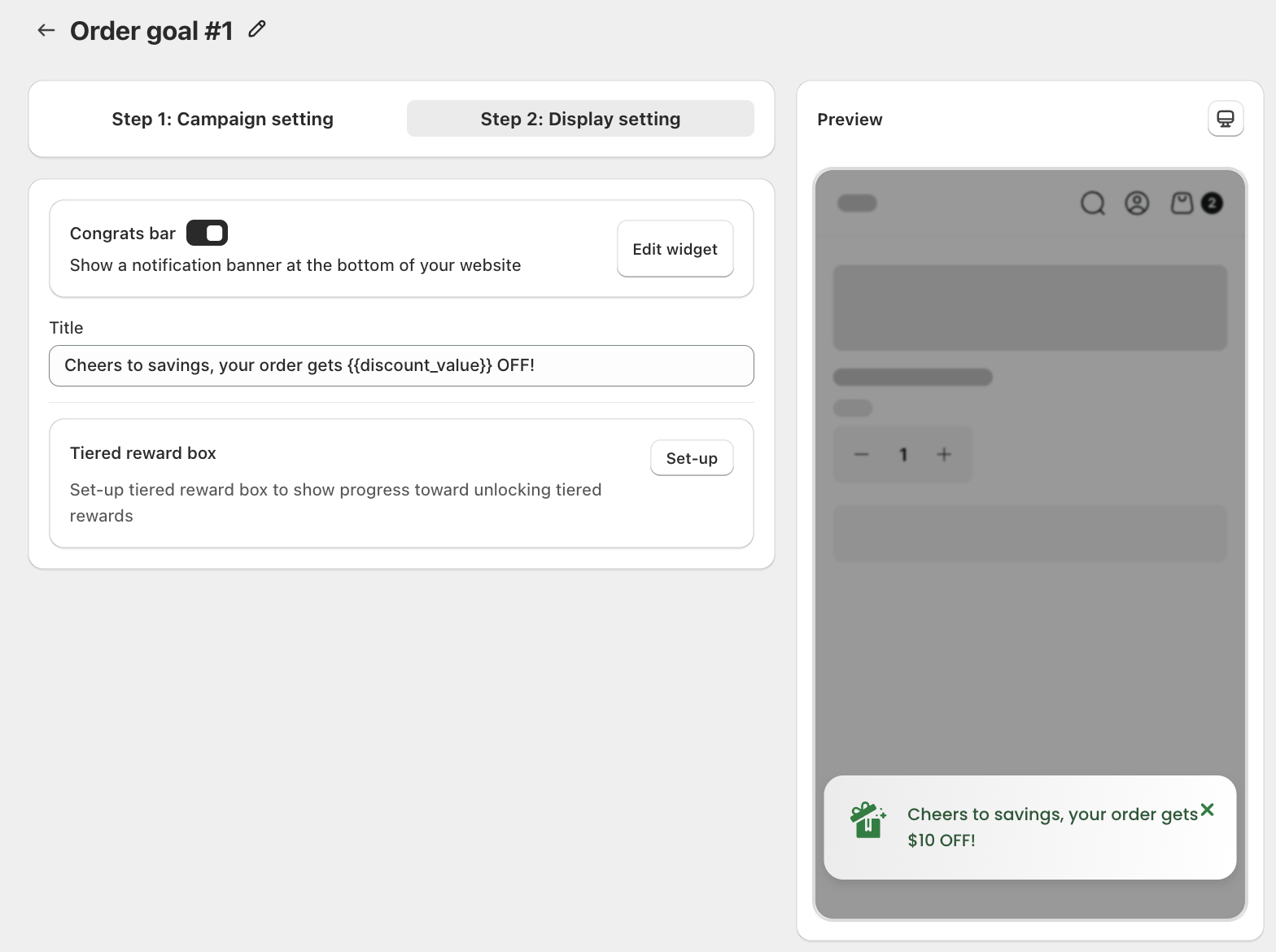
Congrats bar
Toggle Congrats bar on to show a notification banner at the bottom of your website when a customer qualifies for the discount. Click Edit widget to customize its appearance.
- Title: The message shown in the banner. Use
{{discount_value}}to dynamically display the discount amount (e.g., "Cheers to savings, your order gets{{discount_value}}OFF!").
Use the live preview on the right side of the screen to confirm how your widget appears to customers.
Tiered reward box
Click Set-up to configure the Tiered Reward Box widget. This widget visually tracks customer progress toward unlocking rewards directly on your storefront, encouraging higher order values.
The Tiered Reward Box feature is available exclusively for paid users.